December 2025
This month’s release brings faster auditing, smoother scheduling, and clearer reporting across the platform.
Highlights
SKU Audit includes quick filters, live progress tracking, and an upgraded audit UI.
Add Schedule is faster with improved branch selection and smoother navigation.
More reports support Column Layout (show/hide columns) for a more flexible view of your data.
Performance Evaluation is clearer with evaluator images and an optional selfie requirement.
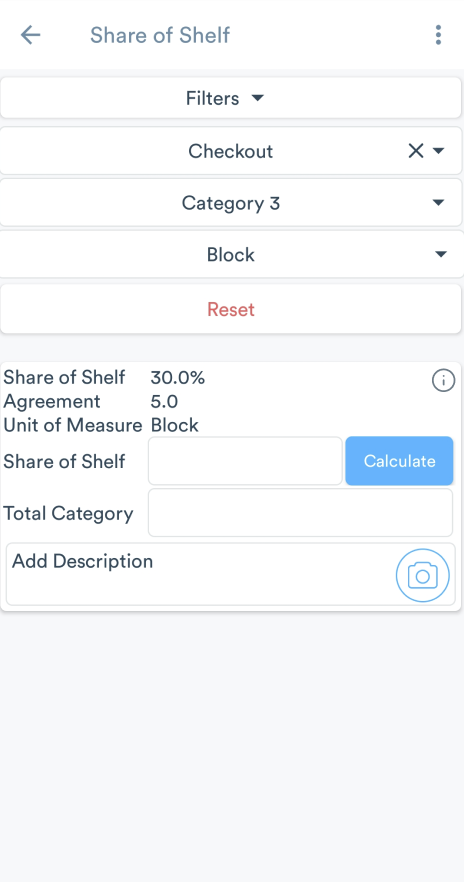
Share of Shelf supports in-audit guidelines to standardize SOS execution.
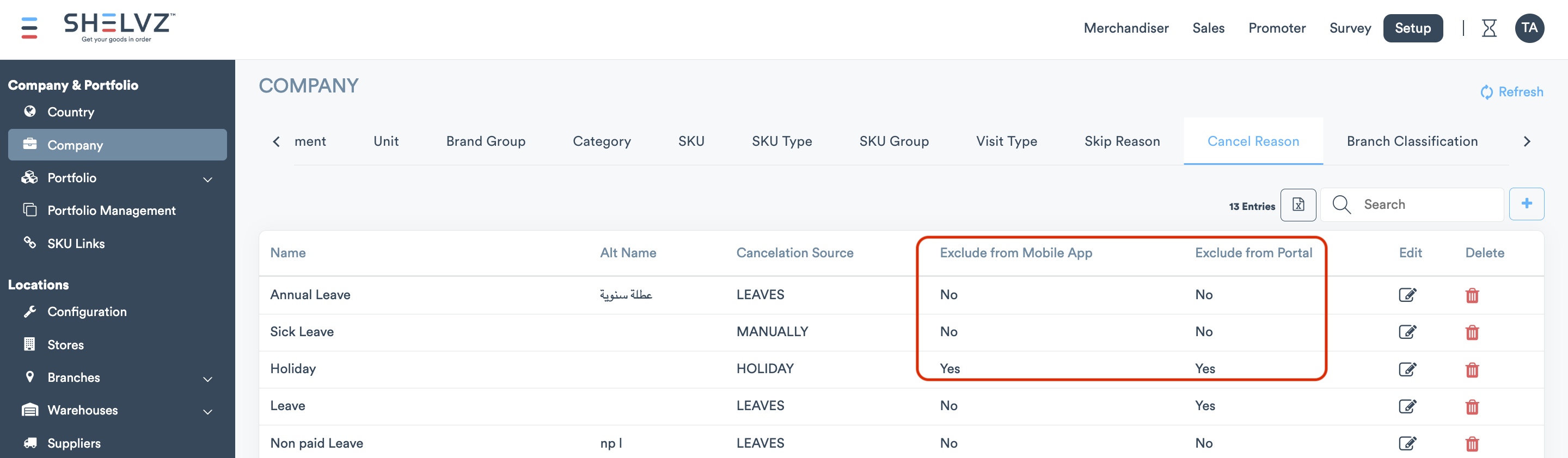
Cancel reasons can be hidden from the mobile app and/or the portal in settings.
Coverage % can optionally include cancelled visits across reports, dashboards, and scheduled emails.
And more below!
Quick Filters and Improved UI For Faster SKU Auditing
During audits, it was hard to quickly see what had already been audited vs. what was still missing.
What’s new:
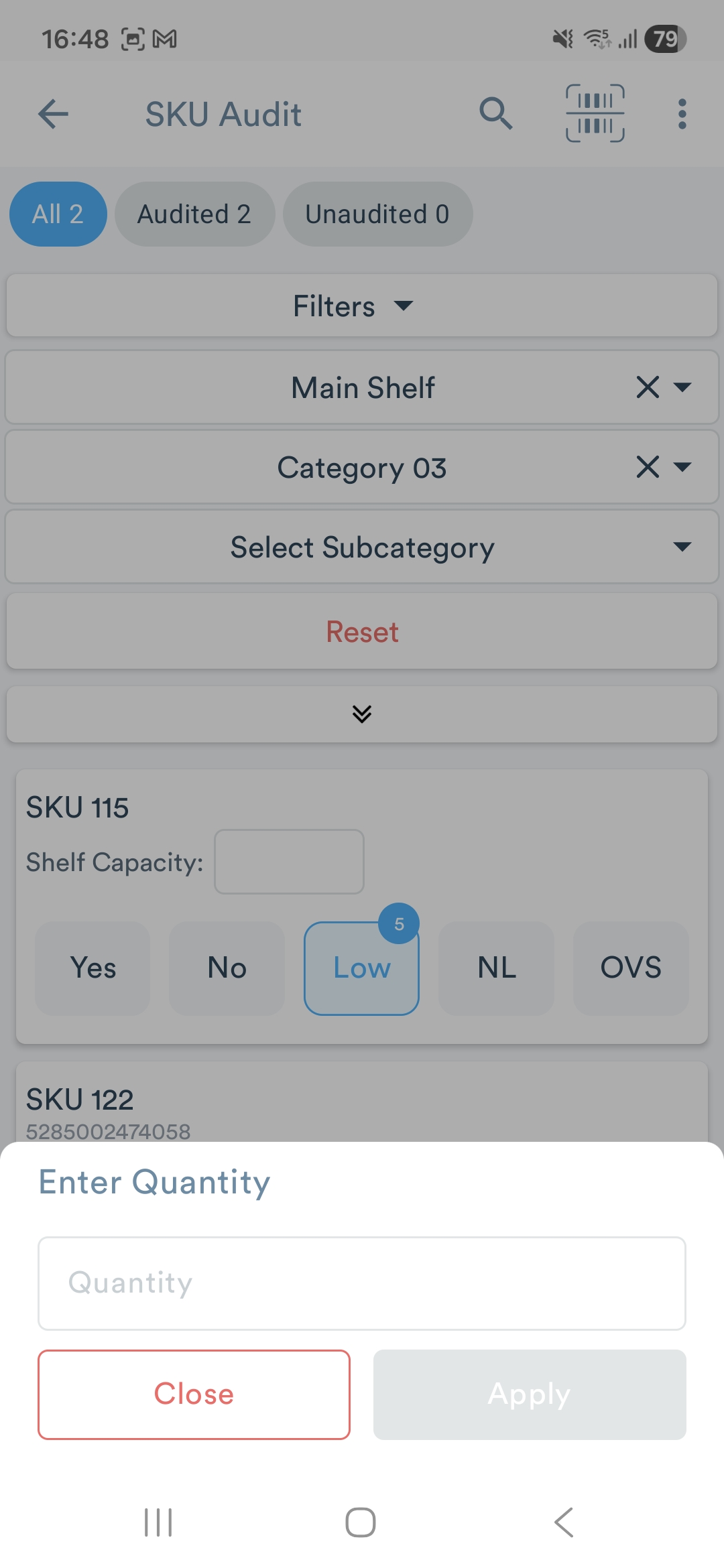
Live audit progress + quick filters
You can now filter SKUs instantly using a new top bar:
All: Shows all SKUs (default)
Audited: Shows SKUs with a completed selection (YES / NL, LOW / OVS only when quantity is filled, and NO only when a reason is selected)
Unaudited: Shows SKUs with no selection yet, or missing required info (e.g., NO without reason, LOW / OVS without quantity)
As soon as a user audits an SKU, the counts and list update automatically, no refresh needed.
Improved auditing UI + clearer validations
Selecting LOW or OVS now opens a Quantity drawer, and the user can’t apply until the quantity is filled.
If YES quantity is enabled, selecting YES opens the Quantity drawer and still allows the user to apply even if the quantity is left empty.

Improved Add Schedule Experience
We’ve improved the Add Schedule flow to make it faster and easier to select the correct branch and complete scheduling.
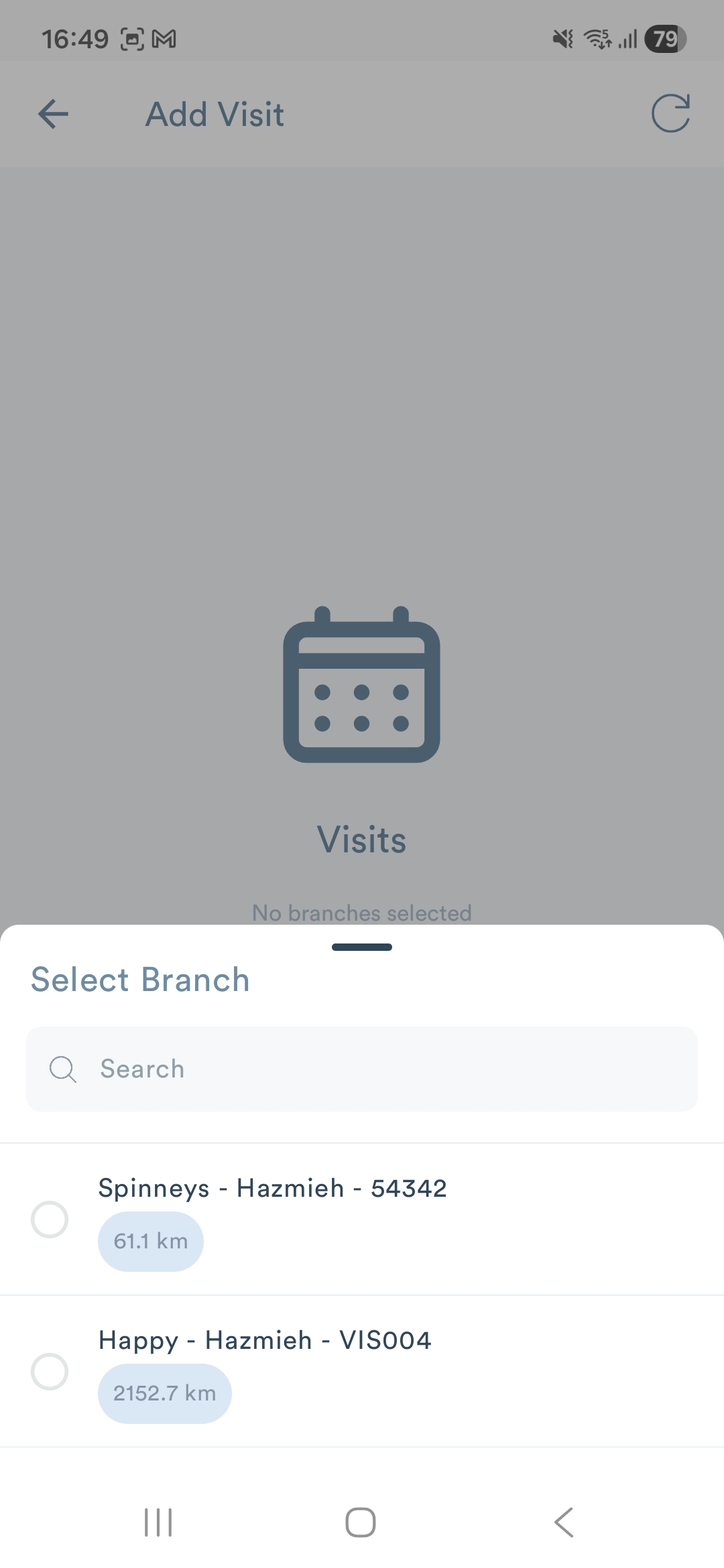
Nearby branches in the branch picker
Branches now display a distance badge when location data is available.
The list now prioritizes nearby branches first, helping users select the right branch faster.
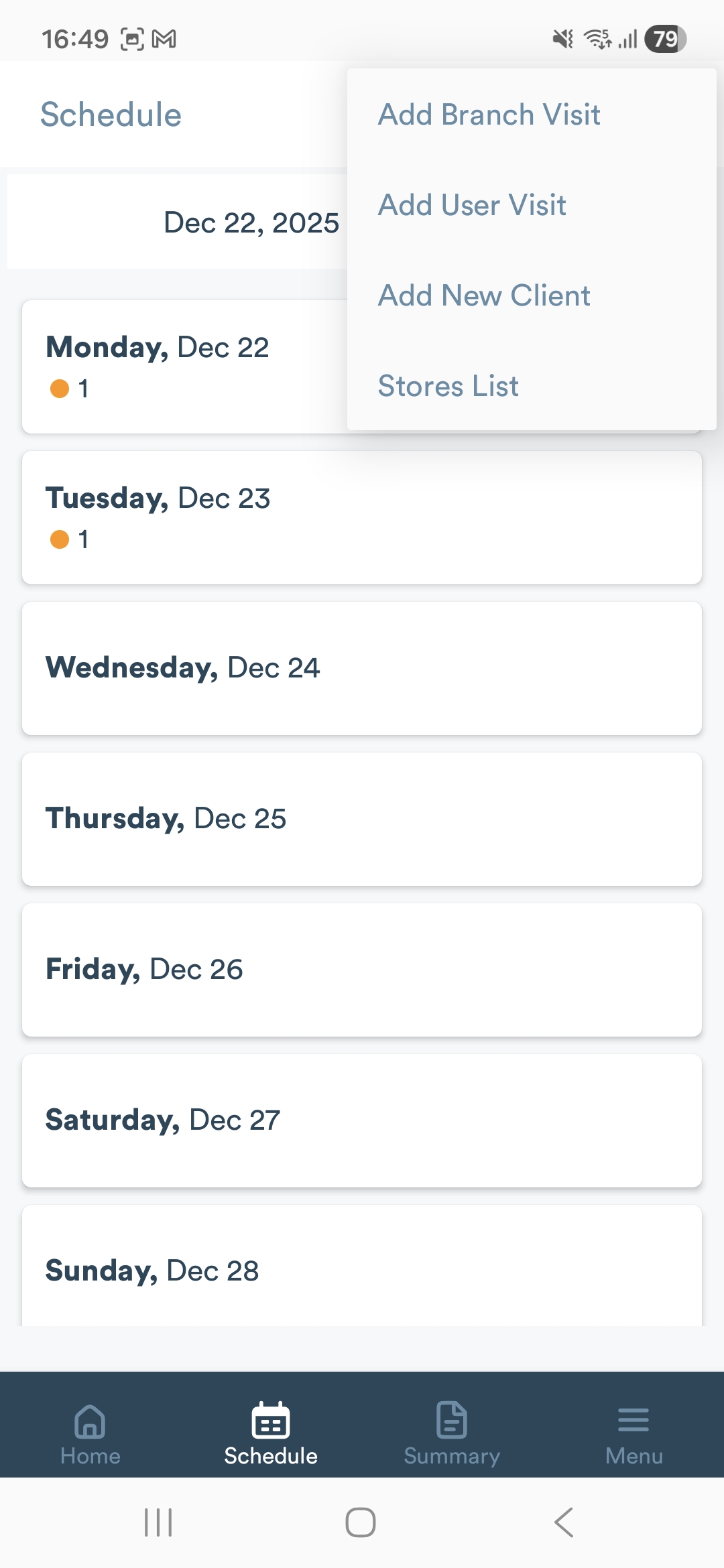
Improved the Add Schedule menu
The header 3-dot menu has been updated with a clearer structure and smoother navigation:
Add Branch Visit → Opens the branch picker
Add User Visit → Opens the user picker
Column Layout Now Available In More Reports
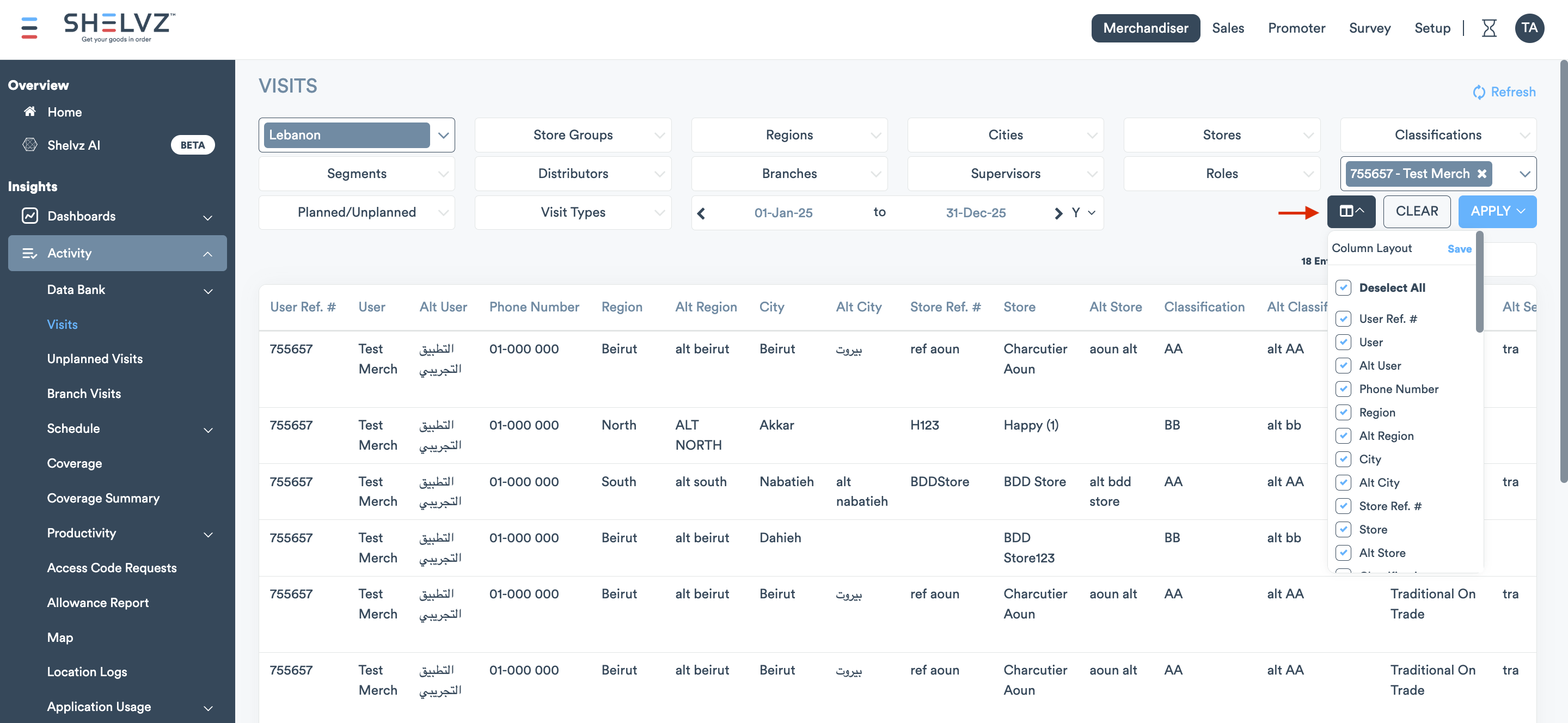
The Column Layout feature (show/hide columns) is now available in Visits Report, Stock Count Data Bank, and Stock Count Summary. This gives you the flexibility to view only the data that matters most, consistent with other reports where Column Layout is already supported. Alternative columns are also included.
Performance Evaluation: Evaluator Selfie for Clearer Accountability
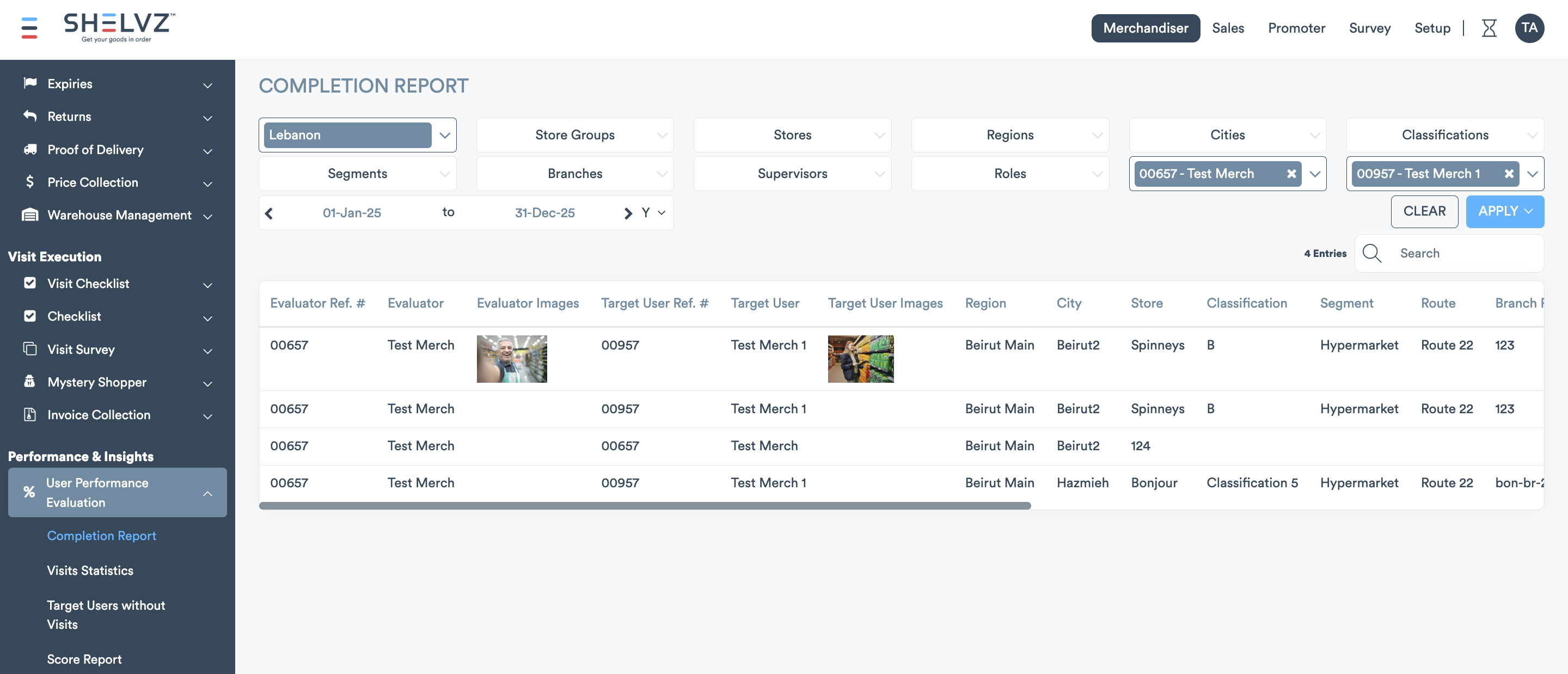
We’ve made Performance Evaluation more transparent by clearly showing who evaluated and who was evaluated, with supporting image indicators in key places. This helps prevent self-evaluations and improves fairness in performance tracking.
On the mobile app, you can now (optionally) require the evaluator to take a selfie before submitting an evaluation. When enabled, the Performance module won’t open until the selfie is captured, and the photo is saved as the Evaluator Image for that evaluation.
On the portal, the evaluator image is now displayed in the Completion Report and Visit Details (Performance Evaluation tab).
Price Collection Variance: Smarter Price Comparison in Data Bank export
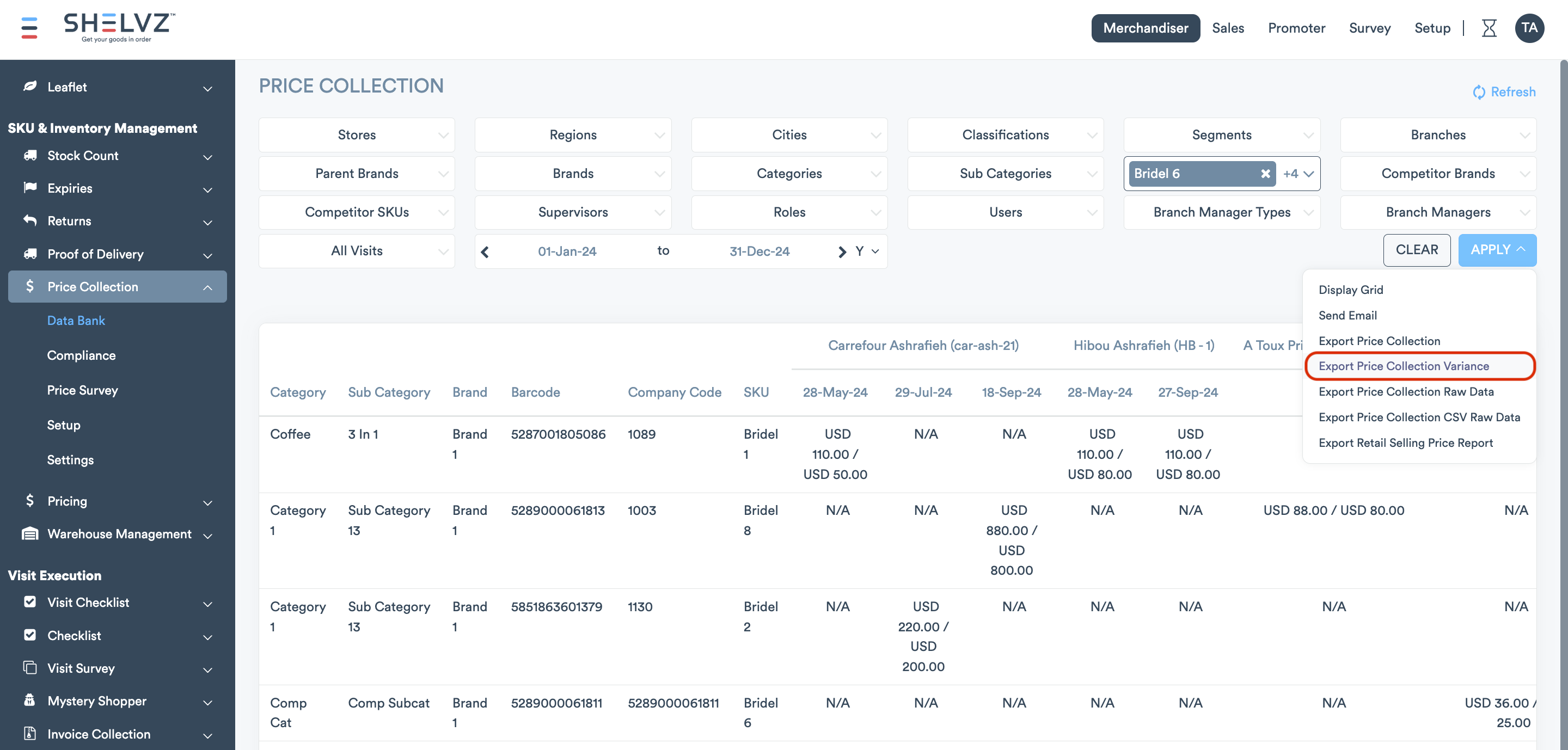
We’ve improved the Price Collection > Data Bank > Price Collection Variance export to make price comparisons more meaningful. The export now compares Company vs. Competitor prices using the promo price when an item is on promotion; otherwise, the regular price.
In-Audit Guidelines In Share Of Shelf Module
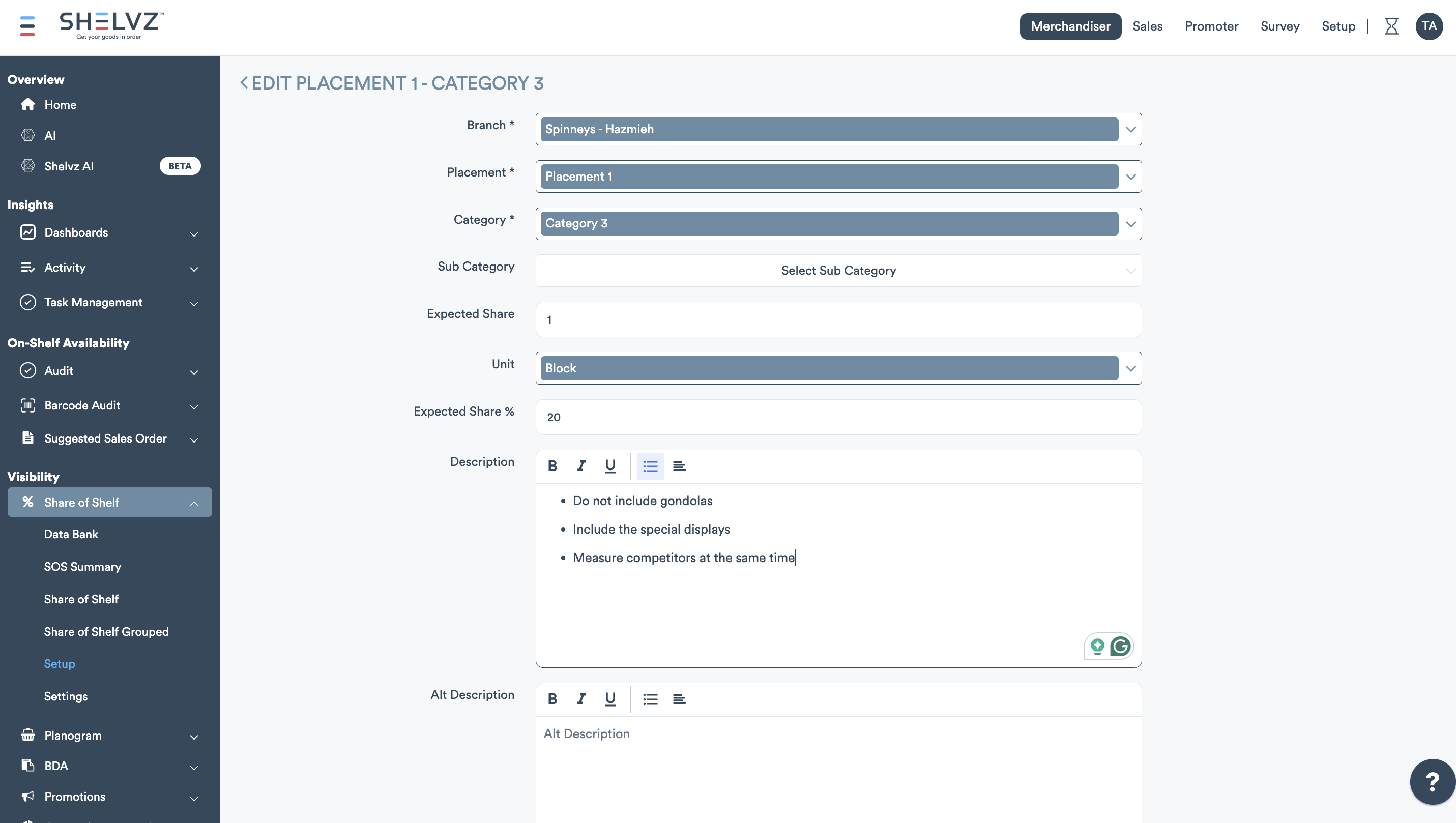
You can now add short, bullet-point guidelines at the Category and Subcategory level to standardize how Share of Shelf audits are performed.
In the mobile app, field reps can view these guidelines during the audit via a quick info icon on the SOS screen, displayed in the app’s language (with alternative-language support when available).
Control Visibility of Cancel Reasons on Mobile App And Portal
You can now control which cancel reasons are visible to users. From Setup > Company > Cancel Reasons, admins can choose to hide a reason from the mobile app and/or the portal, keeping admin-only reasons out of field users’ options and making cancellation lists cleaner.
Option to Include Cancelled Visits in Coverage %
Cancelled visits can now be counted as covered in coverage metrics, so missed visits don’t look unnecessarily higher for teams that treat cancellations as a completed outcome.
Admins can enable this via a new widget setting: “Include cancelled visits in coverage reports”. When enabled, cancelled visits are included in coverage calculations across coverage reports, dashboard coverage charts, and the existing scheduled email notification.
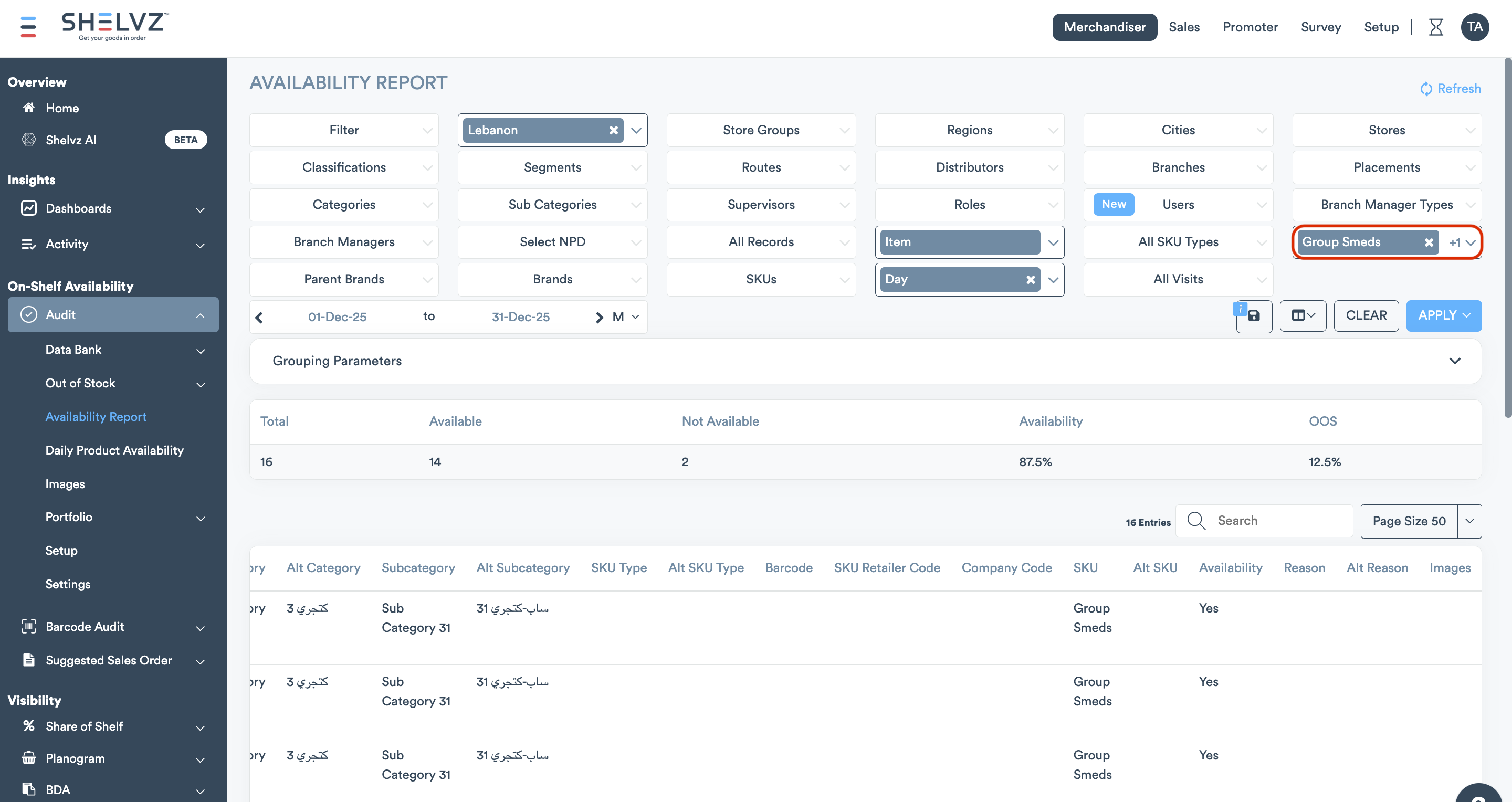
SKU Group Filtering In The Availability Report
You can now filter the Availability Report by SKU Groups, allowing you to view group availability directly in the report. This update also applies to the scheduled email notification for the Availability Report.
Visit Survey Mandatory Before Submission
You can now require field reps to complete the Visit Survey before submitting a visit, ensuring the survey is always captured as part of the visit flow. This can be enabled via the “Visit Survey mandatory” security tag.